Free noise cancelling apps for calls: the receipt for each option
The best free noise cancelling app for calls depends on what you already own. If your Windows PC has an RTX card, it's NVIDIA Broadcast: unlimited, $0. On any other Windows 10 PC, SteelSeries Sonar. On a Mac, the Voice Isolation mic mode that came with it. Krisp isn't on the free shelf any more: it's a 7-day trial, then a subscription, so it gets the orange chip and ranks last.
Rung up
$0
- free, never runs out
- seven of the eight
- Krisp, after its trial
- $8/user/month
The receipts
Seven of the eight options below cost nothing and never run out. Each one still hands you a bill in another currency: a graphics card, an operating system, or a single app it refuses to leave. Here they are, rung up on one receipt, as of 9 October 2026.
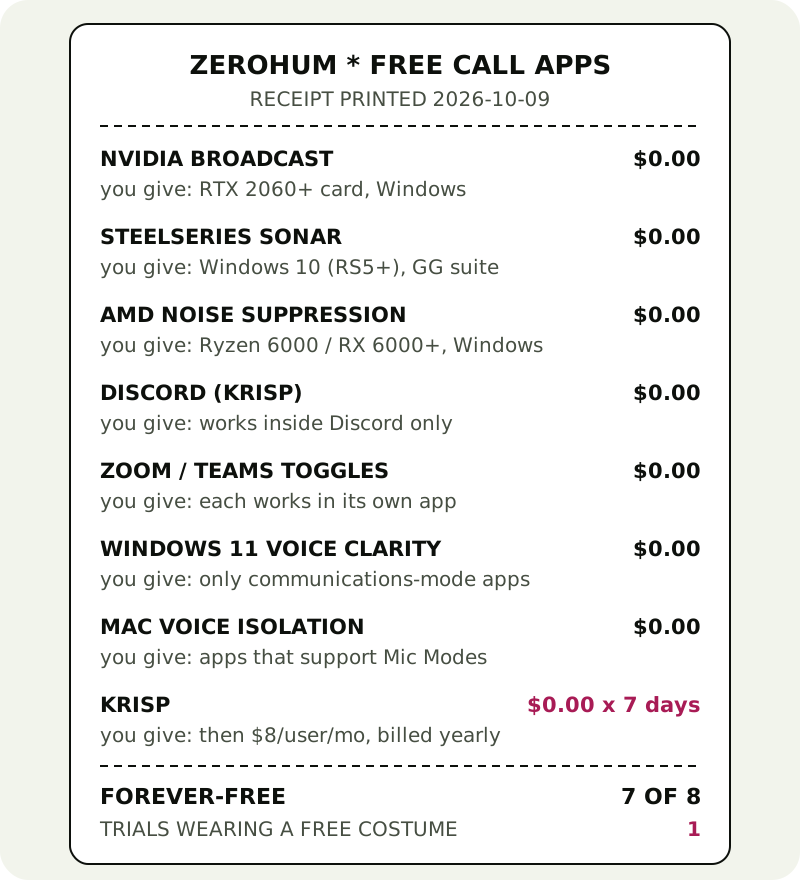
| Option | You pay | You give | Works on |
|---|---|---|---|
| NVIDIA Broadcast | $0 | an RTX 2060 or better (Quadro RTX 3000 and TITAN RTX count); 8 GB RAM; driver R570+ | Windows 10 64-bit (NVIDIA's listing) |
| SteelSeries Sonar | $0 | the SteelSeries GG suite it lives inside; some CPU | Windows 10 (RS5+) |
| AMD Noise Suppression | $0 | a Ryzen 6000-series with integrated graphics, or a Radeon RX 6000-series desktop card, or newer | Windows 10 and 11 |
| Discord's Krisp | $0 | it works in Discord and nowhere else | Windows, Linux, Mac (Apple silicon, macOS 12+), Android, iOS, Chrome and Firefox desktop |
| Zoom / Teams toggles | $0 | each one cleans that app only | wherever the app runs |
| Windows 11 Voice Clarity | $0 | only apps that use Windows' communications mode | Windows 11, x64 or Arm64 |
| Mac Voice Isolation | $0 | only apps that support Mic Modes; Apple names FaceTime | macOS (Wide Spectrum mode: 2018 or later Macs) |
| Krisp | $0 for 7 days | after that, Core at $8/user/month billed annually, or $16 month to month | Windows 10 (64-bit) / 11, macOS 14+ |
Free forever, if you're invited
1. NVIDIA Broadcast — unlimited, if your PC has the card
No meter, no paid tier, no upsell. Broadcast's Noise Removal and Room Echo Removal clean your microphone for as long as you like, and NVIDIA calls the app a free download for RTX desktops and laptops. The invitation is the hardware: at least a GeForce RTX 2060 (a Quadro RTX 3000 or TITAN RTX also qualifies), 8 GB of RAM and driver R570 or newer, on Windows 10 64-bit, which is the only system NVIDIA lists. There's no Mac version. If that card is already under your desk for gaming, this is the best deal on the receipt: a gaming GPU you already own is the best coupon in this category.
2. SteelSeries Sonar — unlimited, Windows, any headset
Sonar comes free inside the SteelSeries GG app, accepts whatever headset or mic you own, and runs its AI noise cancellation on the processor, so it doesn't care what graphics card you have. SteelSeries' page also promises to "reduce team noise", which SteelSeries presents as cleaning the chat you hear, not just your outgoing voice; few free options even claim that. The bill: Windows 10 (RS5+) only, and a whole gaming suite to install for one feature. On a Windows PC without an RTX card, it's the free pick.
3. AMD Noise Suppression — unlimited, if your chip is new enough
AMD tucks its own suppression into the Adrenalin driver software. According to AMD, it works on Ryzen 6000-series processors with integrated graphics and newer, or Radeon RX 6000-series desktop cards and newer, on Windows 10 or 11, with Adrenalin 22.7.1 or later. It cleans input and output, and you choose whether the processor or the graphics card does the work. Turn it on under Settings, then Audio & Video, and pick "AMD Streaming Audio Device" in your call app. One footnote from AMD: it may not install on PCs with Realtek's own ACP-based noise reduction.
4. Discord's built-in Krisp — unlimited, Discord only
Inside Discord, Krisp's engine is already yours. Discord says it's free, runs on your device, and sends nothing to Krisp's servers. Turn it on in User Settings, then Voice & Video, then Noise Suppression, and choose Krisp, or use the Noise Suppression button while you're in a voice channel. Two catches on this receipt line: it only works inside Discord, and on a Mac it needs Apple silicon and macOS 12 or later. In a browser it works in desktop Chrome and Firefox.
5. The toggles already inside your meeting app
Before you install anything, check what the call app ships with. They're free, already installed, and often enough for a mildly noisy room.
- Zoom: Settings, Audio, then under Microphone modes pick Noise removal and set Background noise suppression to Auto, Low, Medium or High. High is the most aggressive and Zoom says it may use more CPU.
- Microsoft Teams (desktop): Settings, Devices, then the Noise suppression toggle. It's a single on/off switch; the Auto/Low/High levels only exist in the iPhone app.
- Google Meet: More options, Settings, Audio, Noise cancellation. On a computer it needs a paid Workspace edition or a Google One plan with 2 TB or more; free accounts get it on most Android phones.
The bill is the same for all three: each one cleans its own app and nothing else.
6. Windows 11 Voice Clarity — automatic, picky about apps
Microsoft's Voice Clarity works on every Windows 11 machine built on x64 or Arm64, with no special chip, and it's on by default. The catch is where it applies: apps that use Windows' communications mode, such as Phone Link and WhatsApp, and only when your PC maker's audio driver isn't already doing its own processing. Don't count on it inside Zoom or Teams; those use their own suppression.
7. Mac Voice Isolation — built in, app-dependent
macOS already ships with a free noise filter. Open FaceTime or another app that supports Mic Modes, pick Video from the menu bar, then Mic Mode, then Voice Isolation. Apple says the options vary by app and names only FaceTime, so whether it appears in your meeting app is something to check on your own machine. The free noise suppression comparison lines up the rest of the free shelf, file tools included.
Trials wearing a free costume (Krisp, 7 days)
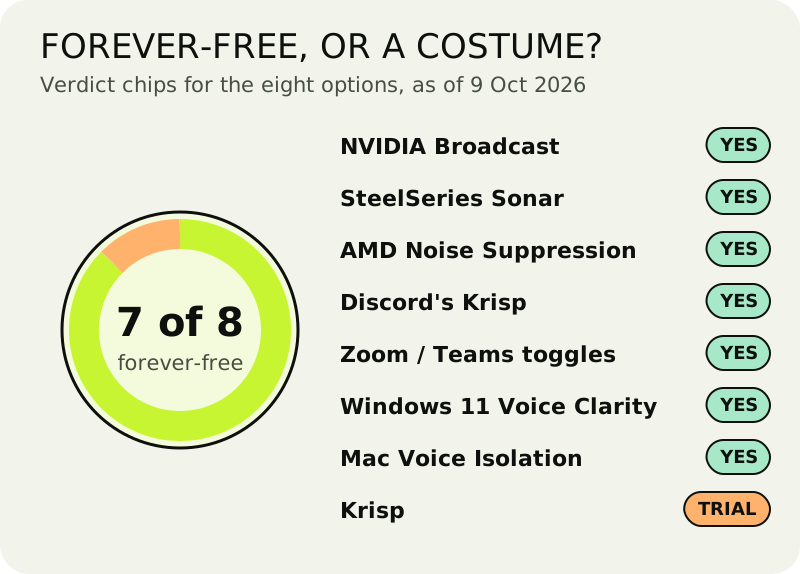
Krisp used to sit near the top of this list with a permanent free allowance. That's gone. On 9 October 2026, Krisp's pricing page offers seven trial days with all premium features switched on and no card required, and its terms are clear that access stops at the end unless you have bought a plan by then. After that the choice is Core, $8 per user monthly on an annual bill or $16 paid month by month, or Advanced at $15 or $30. So it wears our orange chip: "Forever-free: NO — a 7-day trial, then a paid plan."
What the money buys is still real. Krisp cleans both directions, your microphone and the audio coming in. It runs locally on your device, sits in front of every call app at once, and works on a Mac as well as Windows, with no graphics-card rule. That's the gap the free seven can't fill: no RTX card, a Mac, and calls in three different apps. The full trial receipt, day by day, is on the Krisp re-audit.
Windows vs Mac: how the free shelf splits
The receipt above hides a lopsided truth: most of the forever-free options are Windows-only. Broadcast, Sonar, AMD and Voice Clarity all need Windows, and Broadcast and AMD also need particular hardware.
On Windows, run this order and stop at the first one that fits. RTX 2060 or better? NVIDIA Broadcast. Recent AMD chip? AMD Noise Suppression. Neither, but Windows 10 or 11? SteelSeries Sonar. Mostly Discord? Discord's own Krisp toggle is already there. Everything is free, and our Windows page walks through each install.
On a Mac, the free shelf is short. You get Voice Isolation in apps that support it, the toggles inside Zoom and Teams, and Discord's Krisp if your Mac has Apple silicon. There's no Broadcast, no Sonar and no AMD. If those three don't cover your calls, Krisp's 7-day trial is the honest next step, because the free alternatives simply don't exist on macOS.
For Windows 10 specifically, which a lot of people still search for: Broadcast (NVIDIA lists Windows 10 64-bit), Sonar (Windows 10 RS5+) and AMD (Windows 10 or 11) all qualify. Voice Clarity doesn't; it's a Windows 11 feature.
On a phone
There isn't a free app worth installing to clean your outgoing voice on a phone call; the phone's own processing does that job, and the stores mostly sell masking sounds, recorders or note-takers. The free switches worth knowing are already on the handset. On iPhone, open Control Center during a call in a supported app, tap that app's button and choose Voice Isolation. Google Meet's noise cancellation is available to everyone on most Android phones. Krisp's mobile app doesn't do live noise cancellation for meetings; the one exception is outgoing US phone calls placed through the Krisp iPhone app, and like the rest of Krisp it needs a paid plan once the trial ends.
Where the free options break
Two filters on one voice. Running Broadcast or Sonar and leaving Zoom's suppression on High means two models are working on the same microphone. Turn one down. Two filters stacked usually sound thinner, not cleaner.
The app is still listening to your headset. Broadcast, Sonar and AMD all work through a virtual device. If your call app is still set to the physical microphone, the tool is running and doing nothing. Check the input name in the app's audio settings.
Discord's Krisp switches off by itself. Discord says it turns Krisp off when your CPU is very busy, to protect voice performance, and tells you when it does. Close something heavy, then check the Noise Suppression setting again.
Your work laptop won't let you install. Managed laptops often block virtual audio devices. Then the free shelf is the call app's own toggle, and on Windows 11, Voice Clarity in apps that use it.
Fair questions
- What's the best free noise cancelling app for calls?
- Got an RTX 2060 or better in a Windows PC? Then NVIDIA Broadcast: free and unlimited. Without one, SteelSeries Sonar on Windows 10 or newer, or AMD Noise Suppression on recent AMD hardware. On a Mac, Voice Isolation in apps that support it. Krisp isn't free: after a 7-day trial it costs $8 a month on annual billing.
- Is there a free noise cancelling app for PC?
- Yes, several, all on Windows. NVIDIA Broadcast needs an RTX card, AMD Noise Suppression needs a Ryzen 6000 or Radeon RX 6000 chip or newer, and SteelSeries Sonar runs on any Windows 10 (RS5+) PC. All three are free with no time limit, as of 9 October 2026.
- What's a free noise cancelling app for Windows 10?
- NVIDIA Broadcast (NVIDIA lists Windows 10 64-bit), SteelSeries Sonar (Windows 10 RS5+) and AMD Noise Suppression (Windows 10 or 11) all run on Windows 10 for $0. Windows' own Voice Clarity doesn't: it's a Windows 11 feature.
- Is Krisp a free noise cancelling app?
- No. Krisp has no free plan; it offers a 7-day free trial with every feature and no card. Once the trial is over, Krisp stops working unless you buy Core ($8/user/month on yearly billing, or $16 monthly). Inside Discord, Discord's built-in Krisp toggle is free.
- Do Zoom and Teams already do this for free?
- Yes, inside their own walls. Zoom has Background noise suppression with Auto, Low, Medium and High, and the Teams desktop app has a noise suppression toggle under Settings, then Devices. Try them first; a separate app earns its place by working across every app.